
During the last several years, we have seen many SAP Business One users spend significant amounts on custom add-ons, SDK developments, and consulting services to automatically update the status of expired batches.
If your company uses Boyum B1 Usability Package (B1UP), you may already have everything needed to automate this process in just a few minutes using the Master Data Manager Schedule.
With a simple configuration, B1UP can automatically change expired batches from Released to either Not Accessible or Locked without requiring any custom development.
Many companies rely on users to manually review batch expiration dates and update statuses as batches expire. Unfortunately, this process is easy to overlook and can expose the business to inventory control risks.
Automating this task provides several benefits:
Open the Master Data Manager Schedule in Boyum B1 Usability Package and create a new schedule targeting Batch Master Data.
Use the following condition:
WHERE OBTN.[ExpDate] < GETDATE() AND OBTN.[Status] = 0
This condition identifies batches that:
Next, check the Status field and specify the value that should be applied to expired batches.
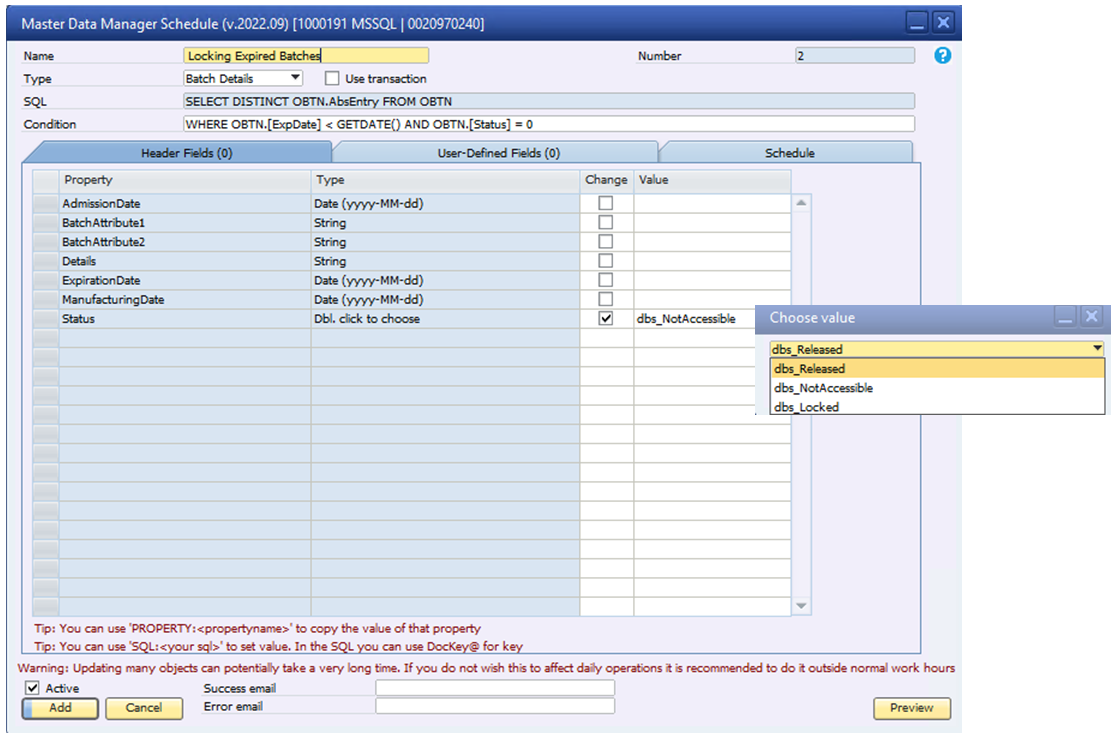
You can choose which status should automatically be assigned to expired batches:
Select the option that best aligns with your company's inventory control and compliance requirements.
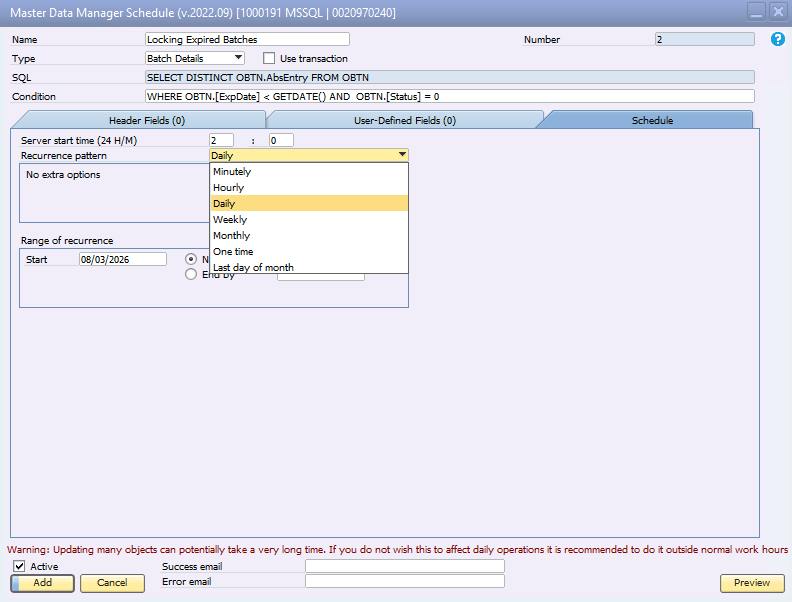
After defining the update condition and status value, select how frequently the service should execute.
Most companies choose to run this schedule daily, but the frequency can be adjusted based on your business requirements.
We recommend consulting your SAP Business One provider before implementing any automated mass-update process that uses the SAP Business One SDK.
Your provider should verify that the B1UP Server Component is properly installed, configured, and running. Fortunately, this component is typically straightforward to deploy and maintain.
Boyum provides official documentation and videos for installation and usage of the B1UP Server Component:
Before investing in a custom add-on, service, or SDK development project to manage expired batches, consider reviewing the functionality already included with Boyum B1 Usability Package.
In many cases, the Master Data Manager Schedule can deliver a simple, reliable, and low-cost solution in just a few minutes of configuration.
This approach not only saves money and implementation time, but also leverages a standard, supported tool that many SAP Business One customers already own.