
A common issue in Accounts Payable occurs when a vendor invoice's amount differs slightly from the amount calculated by SAP Business One due to decimal precision and rounding differences.
Many users manually adjust the invoice by entering a small line discount, overriding the line total (which also generates a line discount), or applying a document discount so that the SAP total matches the vendor's invoice. While this approach appears to solve the problem, it can create inaccurate accounting and purchasing records.
SAP Business One provides a better solution through the Rounding functionality, which records the variance separately without granting an actual discount.
In the example below, both invoices arrive at the same payable amount. However, the accounting treatment is significantly different.
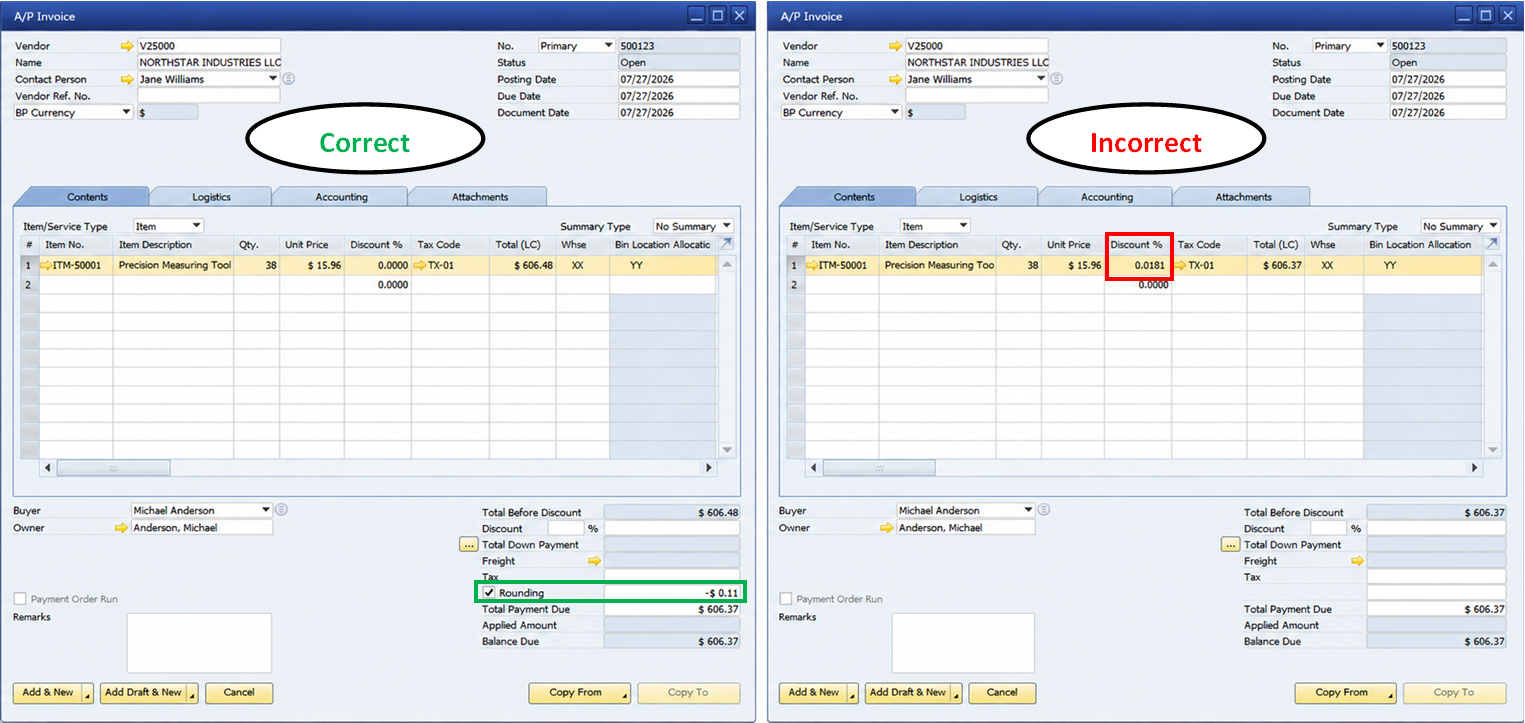
When the Rounding functionality is used, SAP Business One creates a separate accounting posting for the variance instead of altering the purchasing price or inventory value.
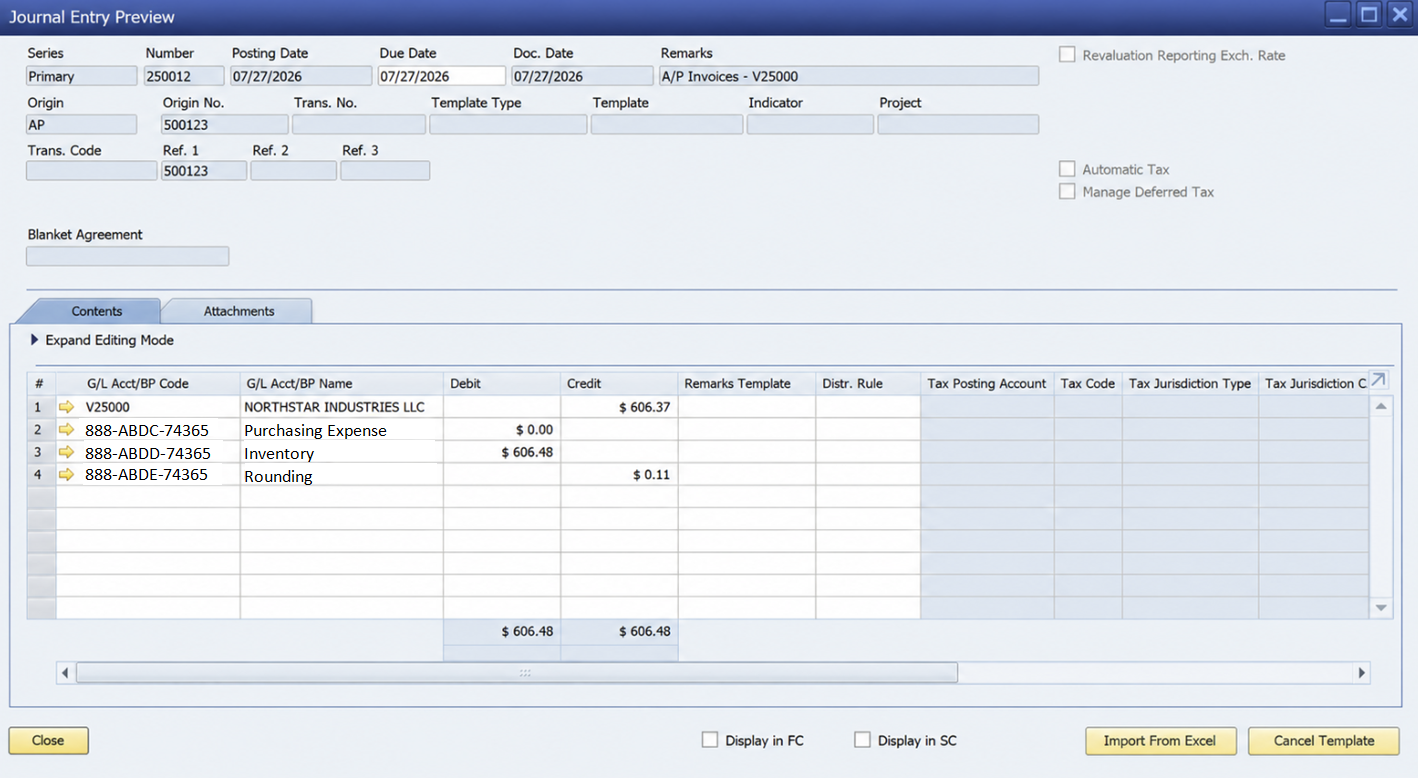
In this example:
This approach keeps purchasing costs accurate while maintaining a clean audit trail of the variance.
To use document rounding, verify your Document Settings configuration.
Navigate to: Administration → System Initialization → Document Settings → General
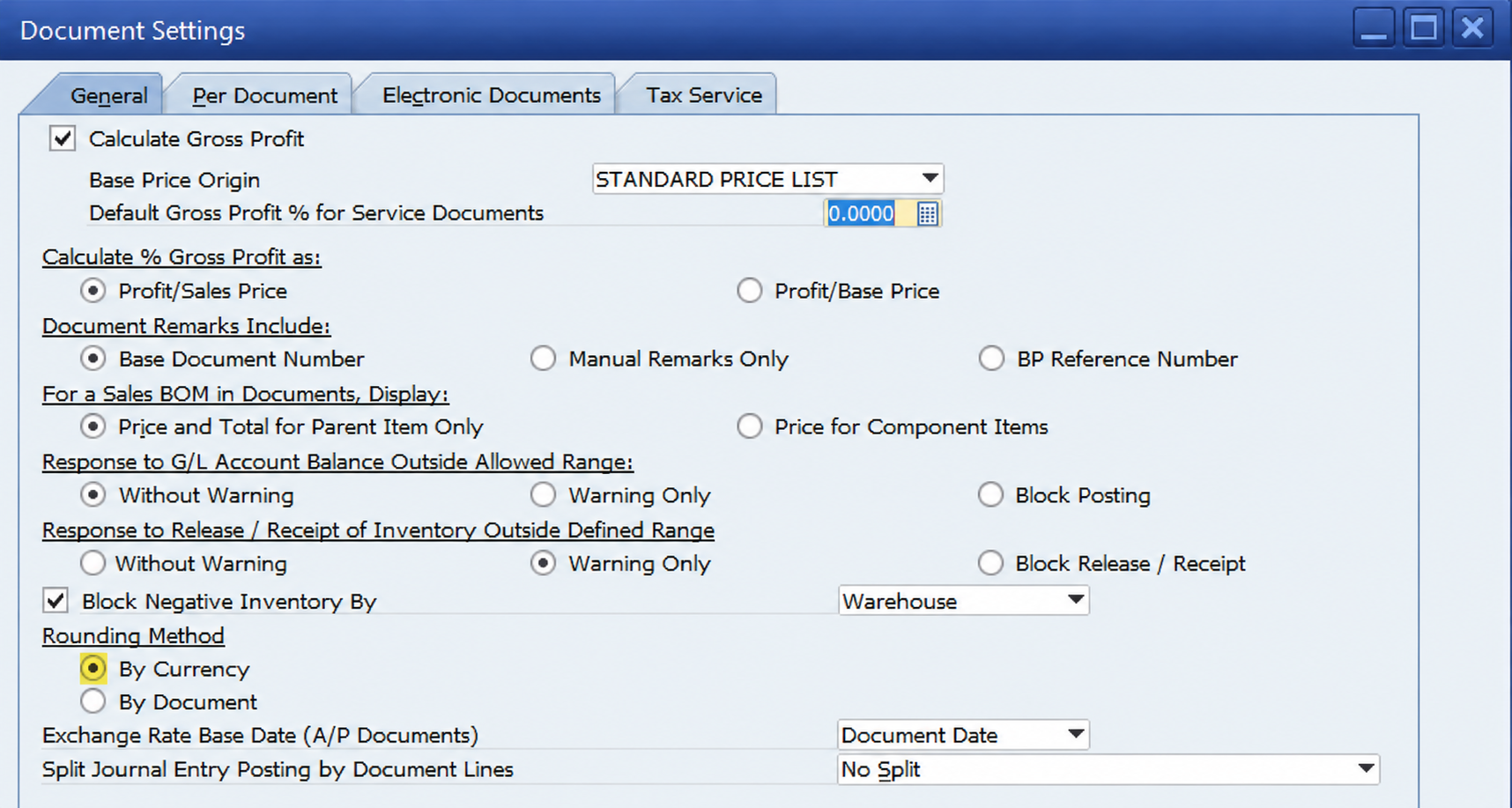
Under Rounding Method, select:
When this method is enabled, SAP Business One makes the Rounding field available on marketing documents such as A/P Invoices and A/R Invoices. The rounding amount can then be entered as a positive or negative value to compensate for minor calculation differences between your business partner's invoice and SAP's calculated total.
Whenever the total difference is caused only by decimal precision or currency rounding, use SAP Business One's Rounding functionality rather than entering an artificial discount percentage.
This ensures that the document reflects the true purchasing price while allowing SAP Business One to properly track and post the variance through the designated Rounding G/L Account.
Note: If these rounding discrepancies occur frequently across multiple customers, vendors, trading partners, 3PLs, or service providers, it may be worthwhile to review your company's decimal precision settings in Administration → System Initialization → General Settings. Aligning SAP Business One's decimal configuration with the standards used by your business partners can help reduce recurring rounding variances and minimize the need for manual adjustments at the document level.